The Template Trap
Why Complex Orchestral Templates Are Slowing You Down
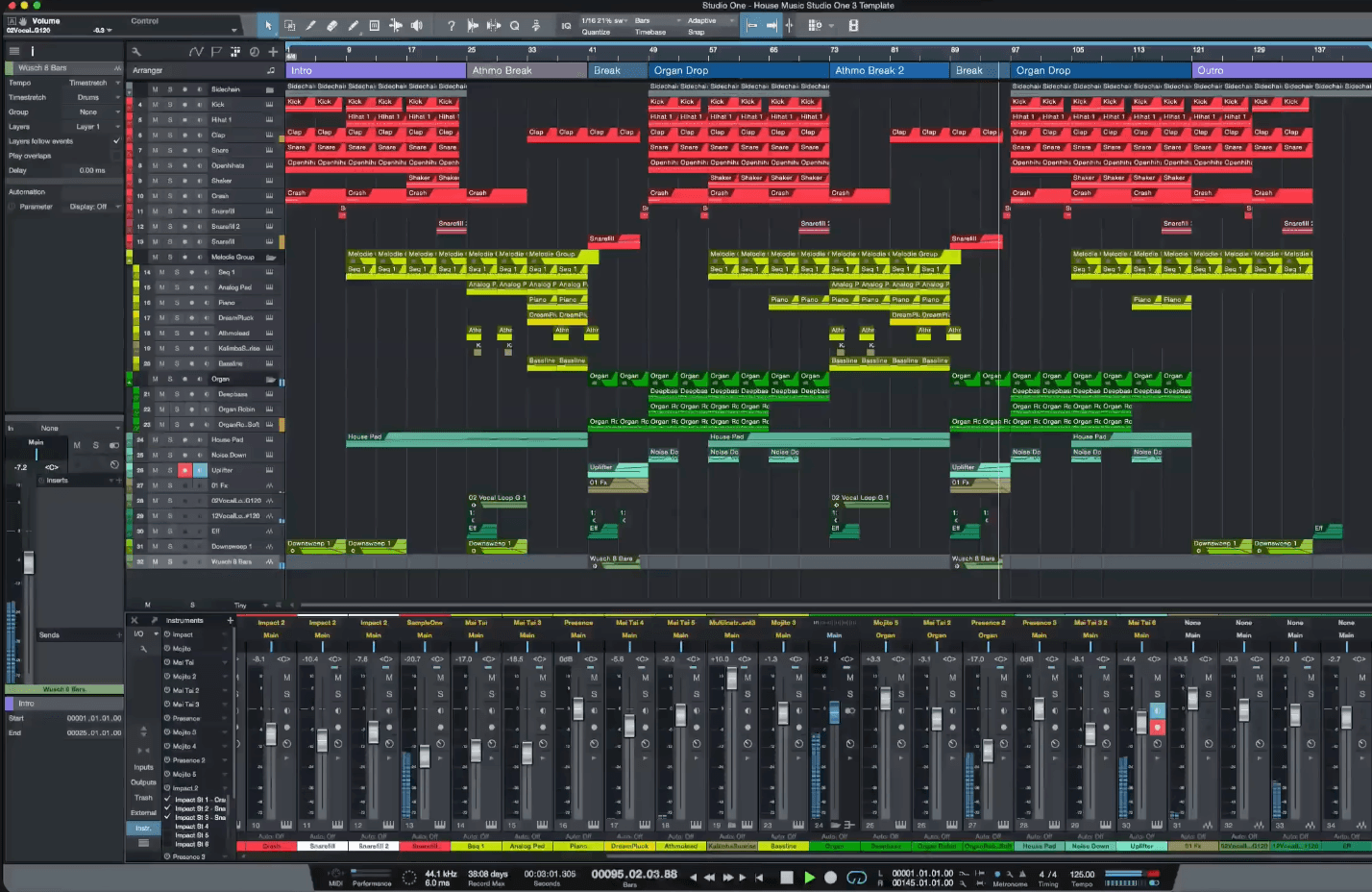
A typical "Frankenstein" orchestral template with hundreds of tracks
You've invested months building the perfect template. It might be the very thing holding you back.
The Confession You've Been Avoiding
Somewhere on your hard drive, there's a DAW project file you've spent weeks — maybe months — building. It's your orchestral template. Your masterpiece of organization. Hundreds of tracks, meticulously labeled. Routing diagrams you could frame. Expression maps for every library you own.
And if you're honest with yourself, it's probably making you less productive, not more.
"I've spent more time on making templates that allow me as obstacle free composing as possible than on actual composing."
This isn't an isolated experience. It's an epidemic among orchestral composers. The pursuit of the "perfect" template has become a procrastination mechanism disguised as productivity.
The Sunk Cost Trap
Here's the psychological trap: the more time you invest in your template, the harder it becomes to admit it isn't working.
You've spent 200 hours building it. You've watched every YouTube video on template construction. You've reorganized your folder structures three times. You've created custom icons. You've built multi-output instrument racks with auxiliary sends to parallel compression buses.
And now when you sit down to compose, something feels... wrong.
"Half-way through building my latest template I finally realized that templates are only slowing me down. I strongly believe that large multi-library templates are a waste of time for us mere mortals."
The sunk cost fallacy tells us that past investment should influence future decisions. But those 200 hours are gone whether you keep using the template or not. The only question that matters: is this template helping you write better music faster, right now?
The Frankenstein Problem
Let's call these overbuilt templates what they really are:
"I could never get anything done with those Frankensteins."
A Frankenstein template is what happens when you try to solve every possible orchestration scenario in advance. It's the template with:
- 2,500 tracks "just in case"
- Every library you've ever purchased loaded and routed
- Elaborate bus structures for "mixing flexibility"
- Custom macro systems that you've half-forgotten how to use
- Multiple versions of the same instruments for "layering options"
Frankensteins are impressive engineering achievements. They're also creative quicksand.
The Hidden Costs of Template Culture
1. Reload Time Becomes a Workflow Tax
One composer reported:
"44 minutes to reload after a crash."
Forty-four minutes. Nearly an hour of staring at a progress bar every time something goes wrong. In a tight deadline scenario, that's not an inconvenience — it's a potential project failure.
Large templates create massive save files. They consume RAM constantly. They turn your fast computer into a sluggish machine the moment you open them.
2. Decision Paralysis at Session Start
When everything is available, nothing is obvious.
You open your 500-track template and face an immediate decision: where do you start? Which of your 12 string sections should carry this melody? Should you use the lyrical legato patch or the expressive legato patch?
"These obstacles can drastically slow you down and can suck the creativity out of you for professional orchestral composers working with strict deadlines."
The template was supposed to save decisions. Instead, it multiplied them.
3. New Libraries Break Everything
Every time you purchase a new library (and let's be honest, you will), your Frankenstein template becomes outdated. The new library doesn't fit the existing structure. Its keyswitches don't match your expression maps. Its output routing conflicts with your bus architecture.
So you spend another weekend retrofitting, and the monster grows larger.
4. Templates Create Composition Habits, Not Skills
Here's the subtle danger: when your template always presents the same instruments in the same order, you develop unconscious habits. You reach for the same patches. You voice chords the same way. Your orchestrations start sounding... similar.
The template that was supposed to enable creativity becomes a constraint on it.
The Philosophy of "Just Enough"
What if you approached template design with the opposite philosophy?
Instead of "what might I need?" ask "what do I actually use?"
The Minimal Viable Template
Professional film composers with actual deadlines often work with surprisingly lean setups:
- A core string section (one library, basic articulations)
- Essential brass (horns, trumpets, low brass)
- Core woodwinds (flute, clarinet, oboe, bassoon)
- Percussion fundamentals
- A piano for sketching
That's it. Maybe 30-50 tracks total. Everything else gets added as needed for the specific project.
The Project-Based Approach
An alternative to the universal template: build your setup fresh for each project, adding only what you need as you need it.
Pros:
- Every instrument is there for a reason
- No RAM overhead from unused libraries
- Forces creative decisions in the moment
- Load times measured in seconds, not minutes
Cons:
- Initial friction at project start
- Need to know your libraries well enough to add them quickly
The Modular Approach
A middle path: maintain small, focused template "modules" that you combine as needed.
- Strings module (50 tracks)
- Brass module (30 tracks)
- Woodwinds module (30 tracks)
- Percussion module (20 tracks)
Start with one or two modules. Add more only when the project demands it.
The Real Solution: Routing Intelligence
Here's the insight that template culture misses: templates are a workaround for a limitation in how sample libraries interact with DAWs.
You build massive templates because:
- Loading instruments takes time, so you preload everything
- Articulations are library-specific, so you pre-map everything
- Voice leading is complex, so you create separate tracks for every possibility
- Mixing is complicated, so you pre-build every bus you might need
But what if the routing layer itself were intelligent?
"There are numerous challenges and I think just about everyone is making due with the tools which to date, are better than nothing... but also still lacking in some ways."
Modern orchestration tools like filament approach this differently. Instead of prebuilding a massive static template, you work with:
- Dynamic instrument hosting — Load 16 plugins as you need them, not in advance
- Intelligent voice leading — Let algorithms handle the voice distribution you'd normally solve with separate tracks
- Unified articulation routing — One system that translates to whatever libraries you're using
- Real-time chord detection — The system understands what you're playing and responds accordingly
The template becomes unnecessary because the routing intelligence handles what the template was designed to solve.
Practical Template Audit
If you're not ready to abandon your template, at least audit it honestly:
Question 1: Track Usage Ratio
Open your last five projects. Count how many of your template's tracks actually contain MIDI data in each project.
If you have 500 tracks and consistently use 40, that's an 8% utilization rate. You're carrying 92% dead weight.
Question 2: Load Time Cost
Time how long your template takes to load. Multiply by how many times you open it per week. Multiply by 52 weeks.
If your template takes 3 minutes to load and you open it twice daily, five days a week, that's: 3 min x 2 x 5 x 52 = 1,560 minutes/year = 26 hours just watching progress bars.
Question 3: Last Update Date
When did you last modify your template? If it's been more than six months, it's probably outdated relative to your current libraries and workflow.
Question 4: Could You Rebuild It?
If your template file corrupted tomorrow, how long would it take to recreate? If the answer is "weeks" or "I couldn't," you've built a single point of failure into your professional workflow.
A Different Path Forward
The composers who consistently meet deadlines and maintain creative freshness often share a counterintuitive trait: they don't have elaborate templates.
They have systems.
A system might include:
- A handful of trusted libraries they know deeply
- A clean folder structure for quick instrument loading
- A routing tool that handles voice leading and articulation in real-time
- A sketch-first approach that defers detailed orchestration until needed
"All of this living in the MIDI editor completely killed my creativity and inspiration to write music. I do feel like a technician, not like a musician."
Templates turn you into a technician — maintaining infrastructure, troubleshooting routing issues, updating expression maps.
Systems turn you into a musician — solving creative problems with musical tools.
The One Workflow Promise
Here's what becomes possible when you step out of the template trap:
One workflow, every library. You're not locked into whatever libraries your template happens to include. You use whatever sounds best for this project, this cue, this moment.
Instant start. No 5-minute load times. No RAM pressure from 200 preloaded instruments. Open your project and start writing.
Clean focus. Every instrument on your screen is there because you put it there for this music. No visual clutter from tracks you "might" use.
"The fun part of my job is to write the music. Not fiddling with CCs, negative delays, and bumpy legatos."
filament was built on exactly this philosophy. Instead of prebuilding complexity into a template, it provides:
- Up to 64 instruments — Add instruments as you need them, not before
- 100+ orchestration presets — Reusable setups without separate template tracks
- Instant articulation switching — No expression map maintenance
- Real-time performance workflow — Play orchestration setups instead of maintaining template workarounds
But even without specialized tools, the principle applies: simpler setups create space for better music.
The Permission You Need
Consider this article your permission to do something uncomfortable:
Archive your Frankenstein template. Not delete — archive. Put it somewhere you can retrieve it if you genuinely need it.
Then start your next project with nothing but a piano and see what happens.
"Spending 10% of my time writing the music and the other 90% messing around with MIDI automation data is a workflow I refuse to accept."
You built that template because you wanted to write more music faster. If it's not delivering that result, the template isn't sacred.
The music is sacred.
filament offers a different approach: real-time routing, hosted instruments, and reusable orchestration setups that reduce the need for huge templates.
Key Takeaways
- Template building can become procrastination disguised as productivity
- Sunk cost fallacy keeps you attached to templates that aren't working
- Large templates create hidden costs: load times, decision paralysis, update burden
- Minimal setups often outperform elaborate templates in actual productivity
- Routing intelligence can replace what templates were designed to solve
- Audit your template honestly — track usage, load time, maintenance burden
Have you escaped the template trap? We'd love to hear what worked for you. Reach out at hello@formalabsaudio.com