Home/Press/filament
Press kit

filament press resources

Launch facts, screenshots, video, and review-copy details for Forma Labs Audio's real-time MIDI orchestration engine.

Product
Filament
Category
Real-time MIDI orchestration engine
Press contact
hello@formalabsaudio.com
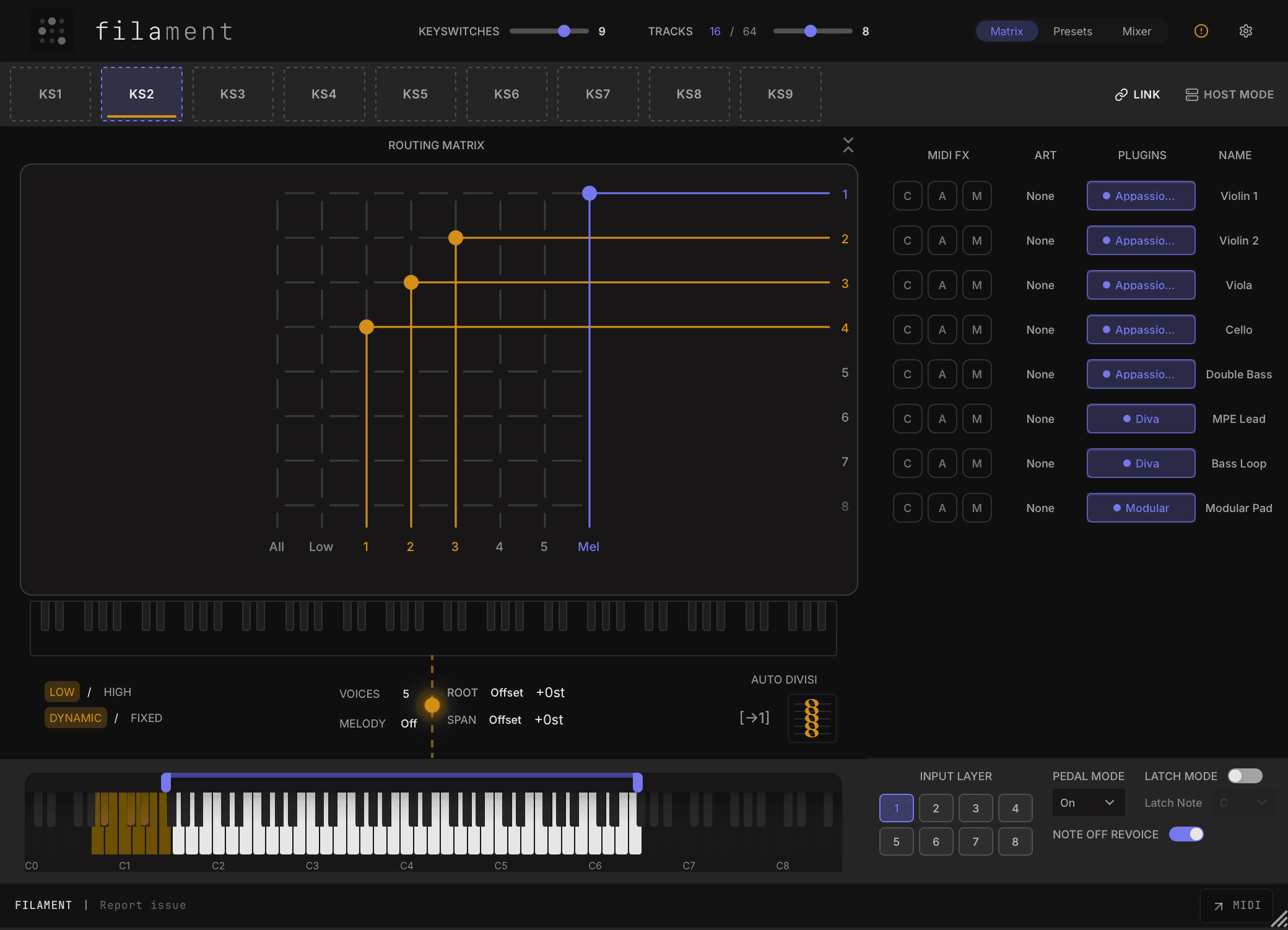
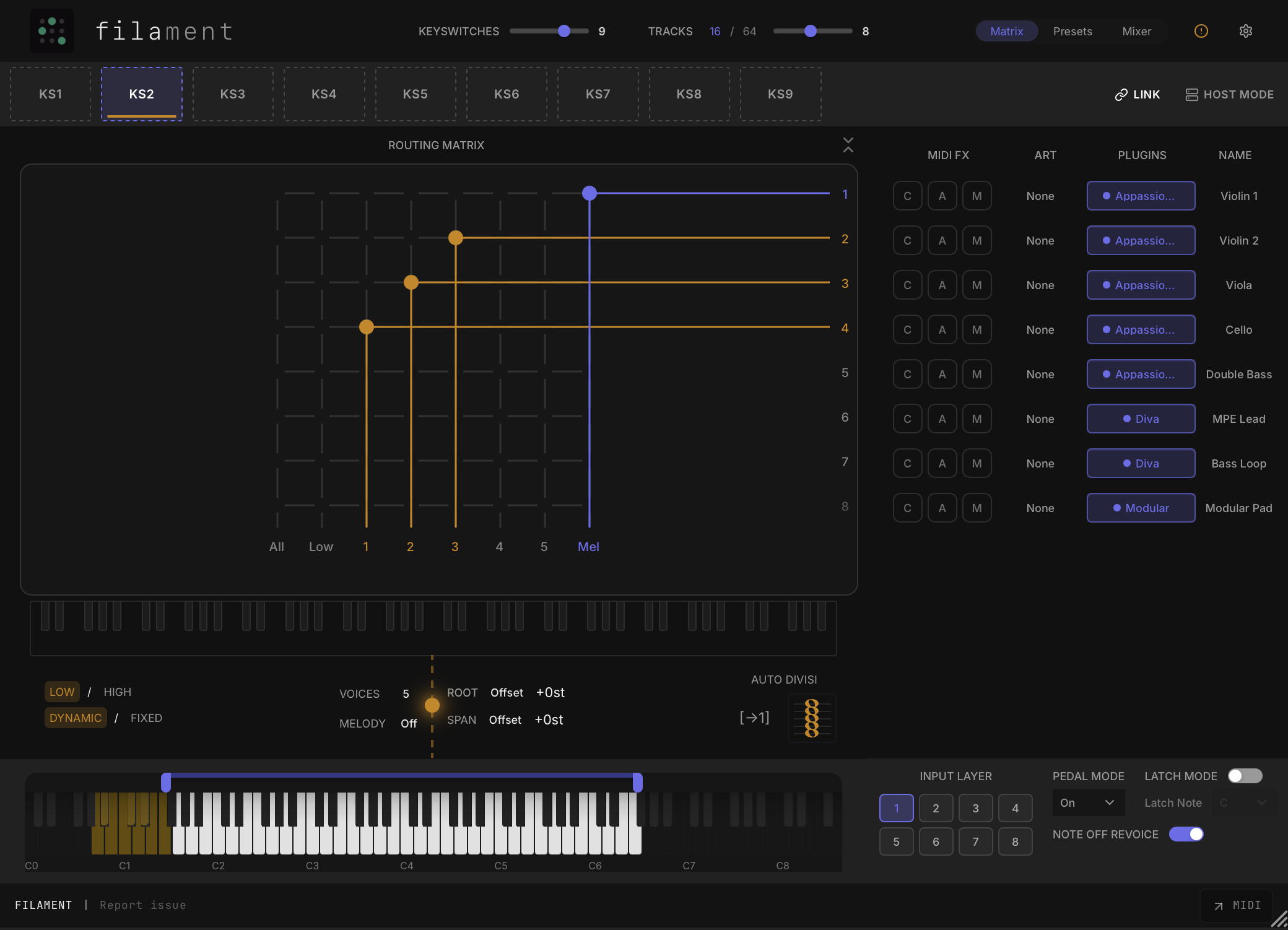
Filament plugin interface showing routing, sequencing, and mixer controls
Press release

Forma Labs Audio launches Filament.

Forma Labs Audio launches Filament, a real-time MIDI orchestration engine for modern DAW workflows.

Filament hosts and performs up to 64 AU/VST3 instruments inside one DAW track, giving composers and producers a new way to route, sequence, mix, trigger, and reuse the sample libraries and virtual instruments they already own.

The goal is not to replace the composer's judgment or provide another sample library. Filament gives musicians a faster and more performable way to control the sounds already in their workflow.

At launch, Filament includes real-time MIDI orchestration, AU/VST3 hosting, standalone operation, a powerful multi-mode arpeggiator, per-instrument MIDI clip launching, keyswitch-based orchestration systems, bespoke mixer setups, and 100+ presets.

Filament launches on June 30, 2026 for Windows 10+ and Mac, with VST3, AU, and Standalone support. The retail price is GBP 149, with a GBP 99 launch-window price available at release.

Video

Short demo and walkthrough.

Use this video for launch coverage or to understand the core routing and orchestration workflow before requesting a review build.

For a deeper understanding of Filament, the Learn section has more tutorials and workflow walkthroughs.

Demo
Key info

Core facts and feature set.

Release date
June 30, 2026
Retail price
GBP 149
Launch price
GBP 99
Formats
VST3, AU, Standalone
Platforms
Windows 10+ and Mac
Presets
100+

Key features

Hosts and performs up to 64 AU/VST3 instruments in one DAW track

Runs as a standalone app outside the DAW

Real-time orchestration and routing matrix for playable arrangements

Per-instrument MIDI clip launcher

Advanced arpeggiator and sequencing tools

Route MIDI out or drag and drop MIDI for further edits

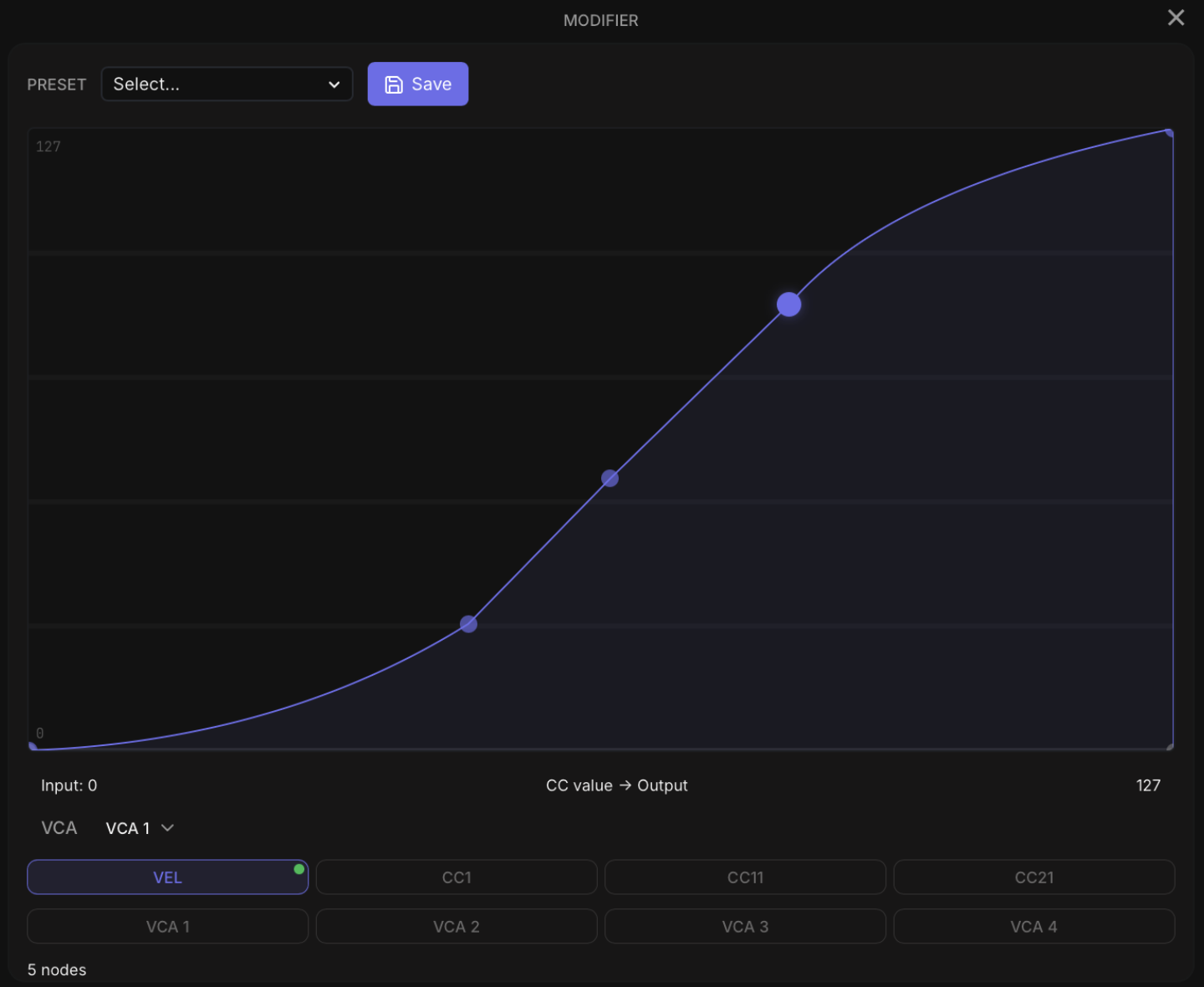
MIDI modifier curves for velocity, CC, and VCA shaping

Keyswitch-based orchestration states

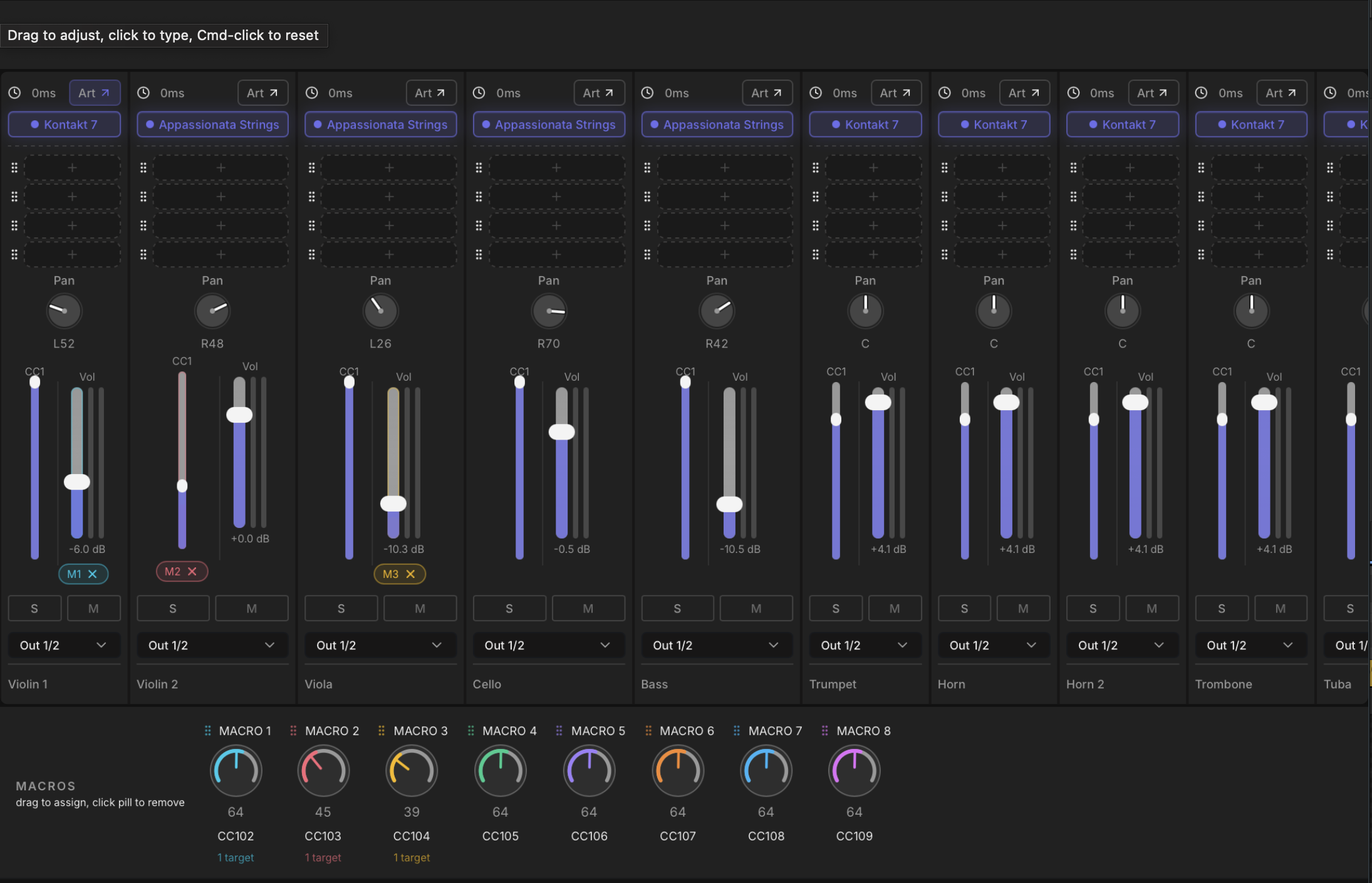
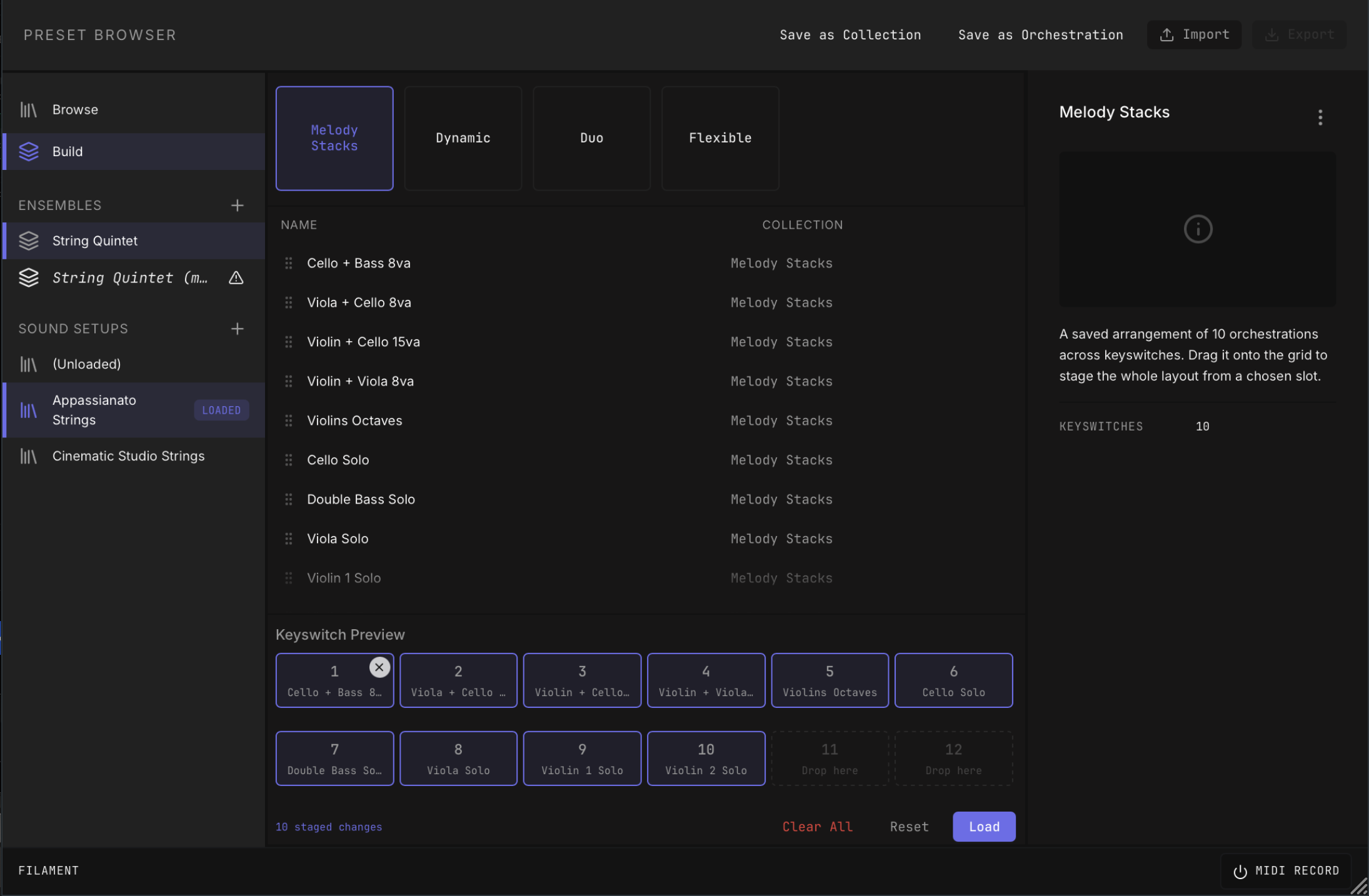
Reusable mixer, plugin, and preset setups

Ships with 100+ presets

Windows 10+ and Mac support

Additional workflow tools include articulation mapping, macro controls, linked arpeggiators, clip import, and library-independent preset reuse.

Assets

Screenshots and product assets.

Each asset highlights a different part of the workflow. Download the full press pack, or grab individual screenshots and logo assets for coverage.

Full press kit

Product screenshots, Open Graph art, current brand assets, and reviewer notes.

Download 1.9 MB ZIP

Full interface screenshot

Host up to 64 AU/VST3 instruments in one DAW track, route eight input voices across them, and turn one chord into a full playable orchestration.

Download asset

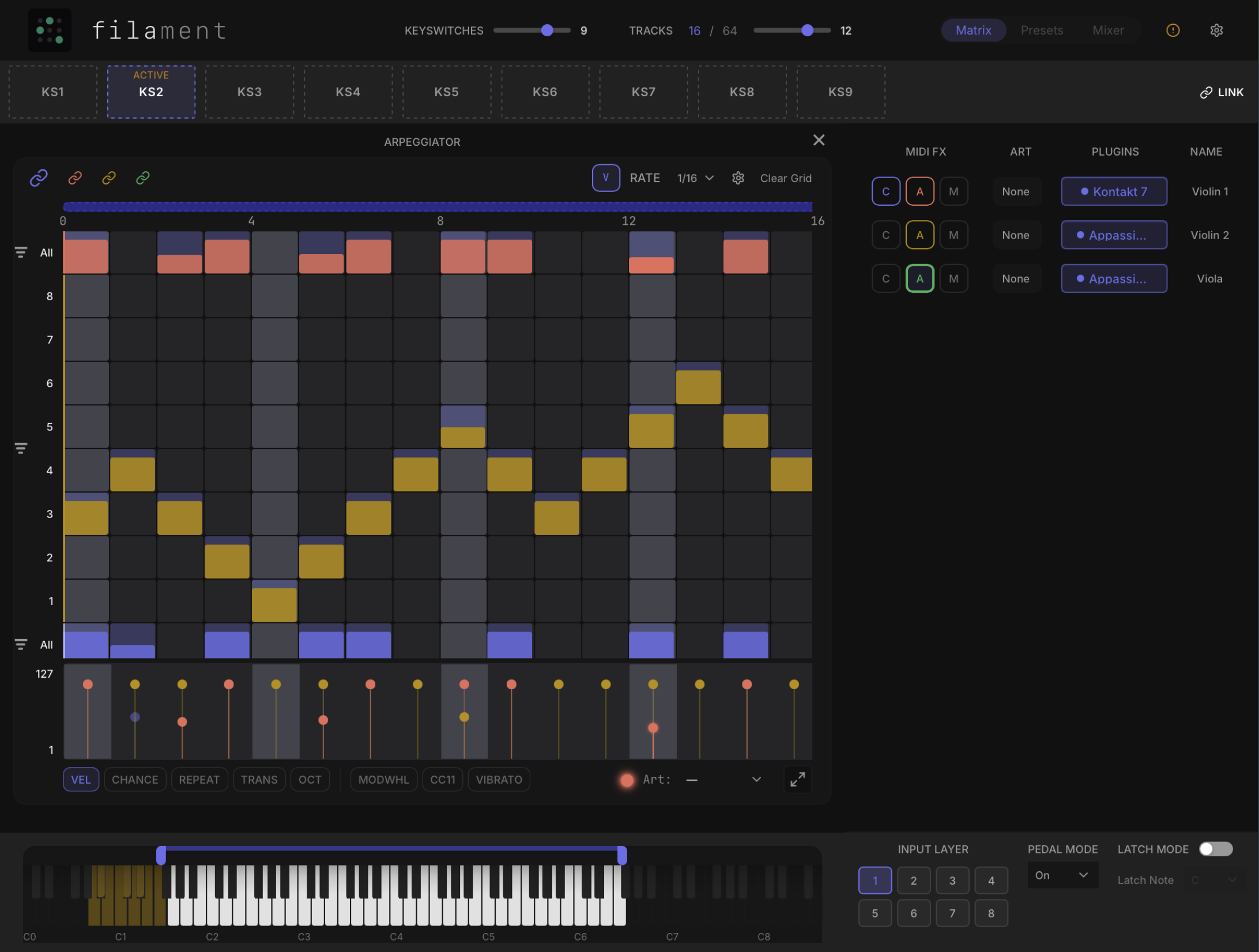
Arpeggiator in context

Build moving orchestral phrases per instrument with multiple playback modes, linked rows, per-step velocity, CC triggers, chance, and DAW-synced timing.

Download asset

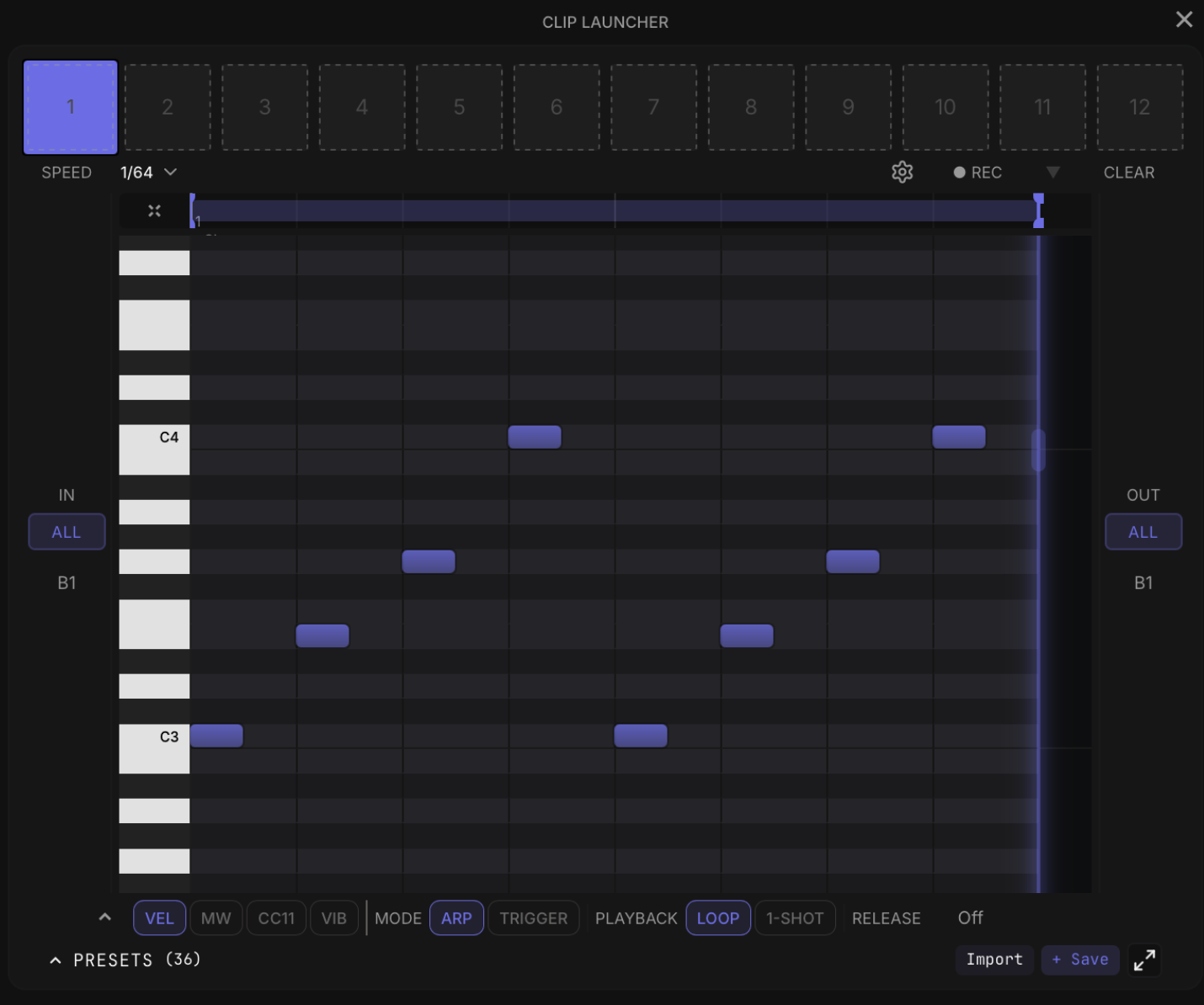
Clip launcher screenshot

Drop in MIDI, trigger phrases from notes or chords, reharmonize performances live, and turn clips into playable ostinatos, textures, or rhythmic parts.

Download asset

MIDI modifier screenshot

Shape dynamics per instrument and per keyswitch with velocity, CC, and VCA curves, from subtle range control to more dramatic expression mapping.

Download asset

Mixer screenshot

Host instruments and effects, balance full arrangements, manage articulation maps, and use macro controls to shape multiple channels from one place.

Download asset

Preset browser screenshot

Save and reuse banks, library setups, orchestrations, mixer profiles, articulations, and macros so complex rigs can move between cues and projects.

Download asset
Review copies

Need a review build or a direct quote?

Press and creators can request a private reviewer link. Approved links open a one-click page with the right installers, setup notes, and a unique review license.

Already approved?

Use the private reviewer link from your outreach email. It will prepare your license automatically and keep installer downloads behind short-lived signed URLs.