Intelligent Chord Revoicing
When you play a chord, filament doesn't just split it mechanically—it analyses the harmony and distributes notes across your instruments the way an experienced orchestrator would.
Smart Filter Off vs On
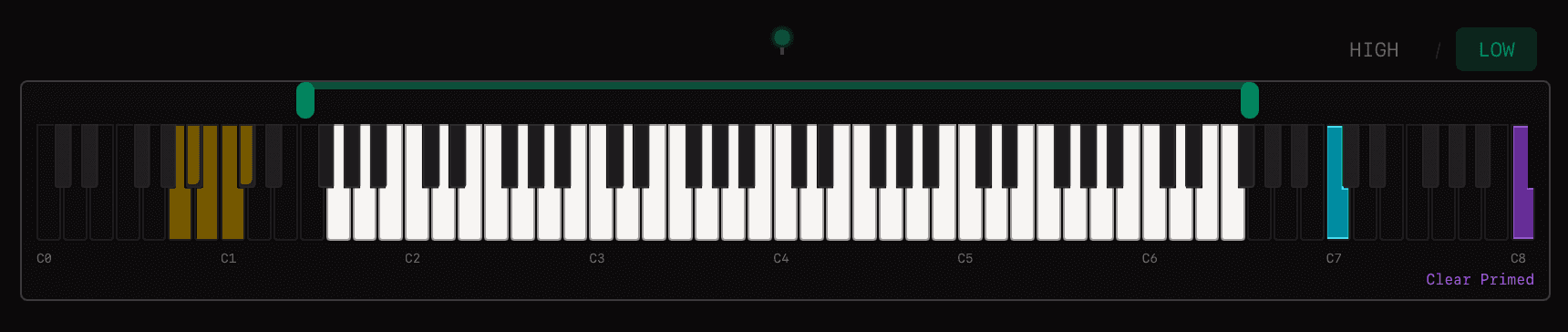
Smart Filter Off
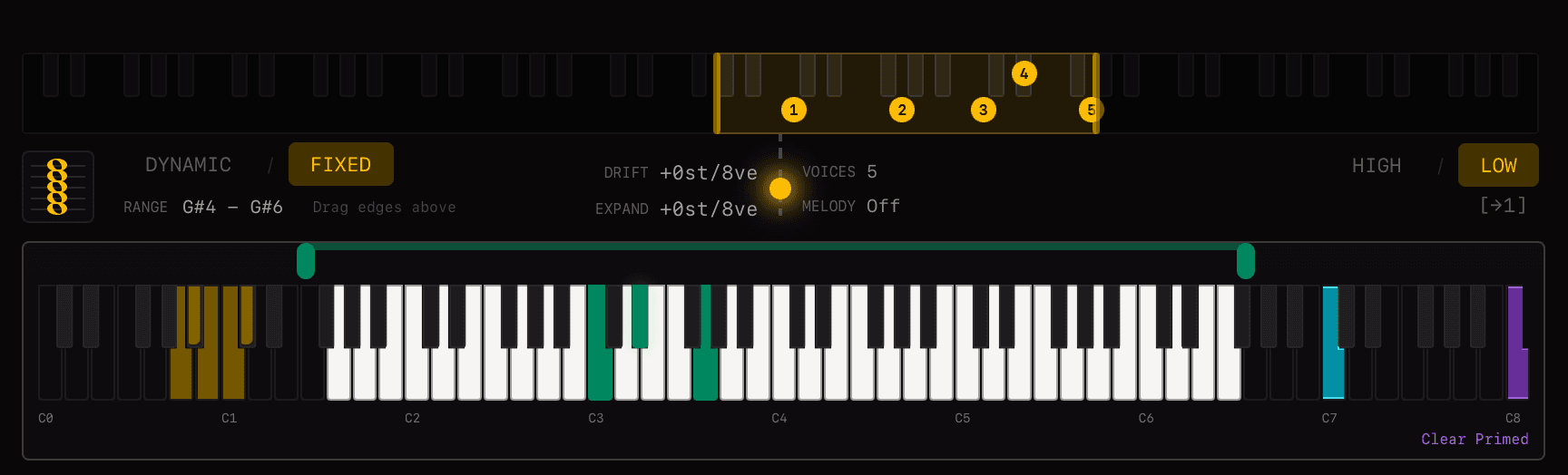
Smart Filter On (Fixed Mode)
Smart Filter Off
Direct finger-to-note control. Each note in your chord maps directly to an output in order. Use this when you want precise, predictable control over exactly which instrument plays which note.
Smart Filter On
Intelligent voice distribution. The algorithm analyses your chord and distributes notes musically. Smart Filter has two sub-modes: Dynamic and Fixed.
The revoicer works by evenly spreading notes across the available outputs, but it follows the natural harmonic overtone series: octaves and fifths are prioritised in the lower part of the chord, while closer intervals cluster toward the top. This mirrors how acoustic instruments naturally resonate—wide intervals in the bass for clarity, tighter voicings in the upper range for richness.
Dynamic Mode
In Dynamic mode, voicings adapt fluidly to what you play. The output range expands and contracts based on your input.
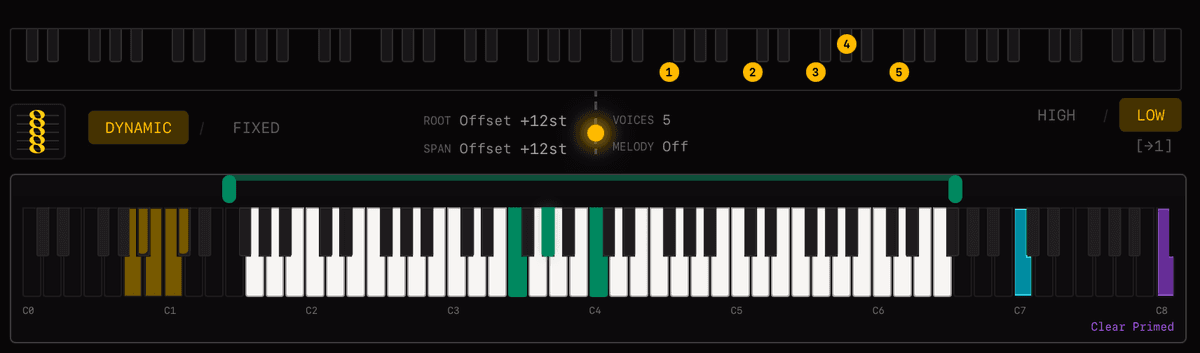
Dynamic Mode - Offset
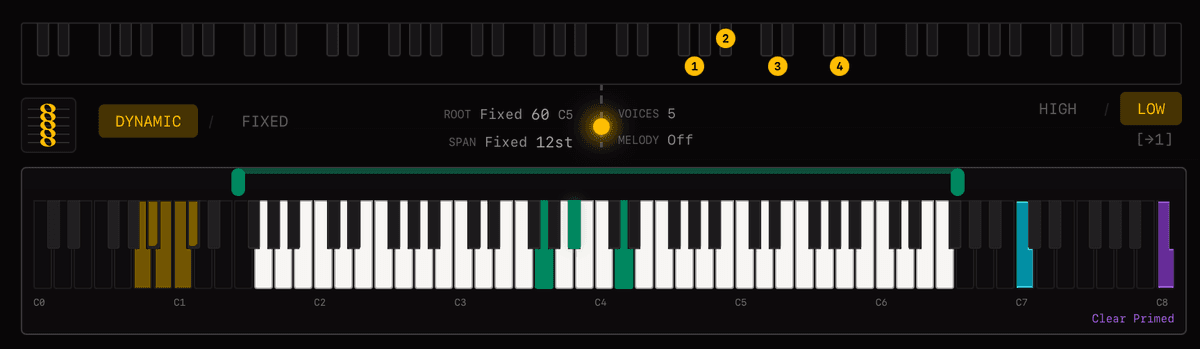
Dynamic Mode - Fixed
Root Fixed / Root Offset
Controls the lower boundary of where the bass voice can play. Root Fixed anchors the bass region to one octave above a fixed note—the harmony stays the same, but the bass voice plays within that region. Root Offset shifts the lower boundary up or down without changing the actual notes or harmony.
Span Fixed / Span Offset
Controls how wide the voicing spreads. Span Fixed sets a constant interval between lowest and highest output voice. Span Offset adjusts the spread relative to your input width—positive values expand the voicing, negative values compress it.
Example: Play a tight cluster in the middle of the keyboard. With Span Offset at +12, the output voicing expands by an octave. The algorithm distributes your chord tones across that wider range while maintaining musical voice leading.
Fixed Mode
In Fixed mode, voices stay within defined regions. This is ideal for instruments with specific comfortable ranges, like brass sections or choir parts.

Fixed Mode
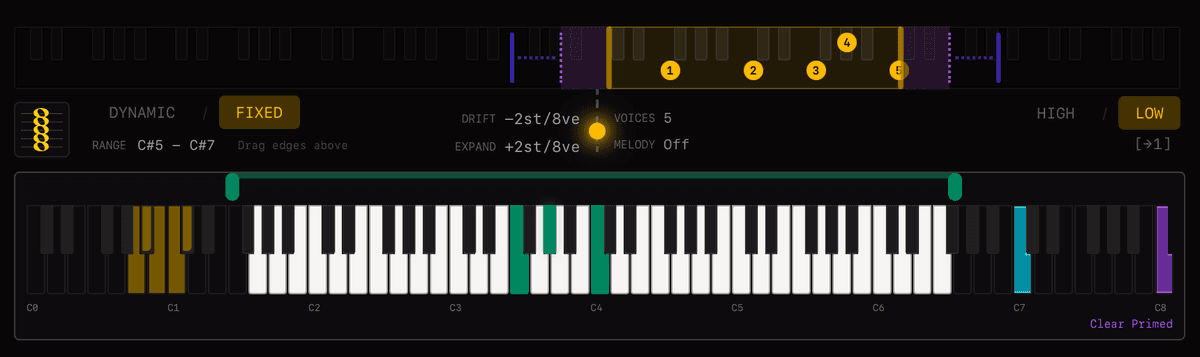
Negative Drift (Counterpoint)
Drift
Controls how much voices are allowed to move outside their assigned region to follow your playing. Low drift keeps voices strictly in place. Higher drift lets them "drift" toward the notes you're playing while still respecting the general region. Negative drift pushes voices away from your input, creating counterpoint—voices move in the opposite direction to what you play.
Expansion
Controls whether the fixed regions expand when you play wider chords. With expansion off, regions stay constant. With expansion on, playing a wider input chord stretches the output regions proportionally.
Example: Set up a brass section with Fixed mode. Trumpets locked to C4–G5, horns to F3–C5, trombones to E2–Bb3. With low drift, each section stays in its idiomatic range. The algorithm picks the best chord tones for each section rather than letting voices jump around.
Tip: Feeding Arpeggiators — Fixed mode is excellent for generating notes to feed into arpeggiators. Turn the number of voices up high and Fixed mode will fill out the region with chord tones. The arpeggiator then has a rich pool of notes to work with, creating fuller patterns without you having to play every note. Combine with Latch Mode to hold the chord indefinitely while the arpeggiator runs.
Common Parameters
These parameters work in both Dynamic and Fixed modes:
Harmonic Truncation
Reduces the harmonic complexity of what you play. Options range from Fifth (just root and fifth), Triad (root, third, fifth), One Colour Extension (triad plus one extension note), to Unfiltered (full chord as played). This lets different voice layers carry different levels of harmonic complexity—brass could play simple triads while strings handle the full extended harmony.
 Fifth
Fifth Triad
Triad One Color
 Unfiltered
Bass & Melody Isolation
Separate voice layers can capture the lowest or highest note independently, so your bass and melody always go to dedicated instruments regardless of what the inner voices do.
Per-Voice Configuration
Each of the 8 voice layers in a keyswitch can be configured independently:
- •Key Range — restrict which notes this voice responds to
- •Fade Zones — smooth velocity crossfades at range boundaries
- •Voice Type — All Notes, Low Note, High Note, or Split
- •Smart Filter — enable/disable intelligent revoicing per voice
Practical Examples
String Quartet
One Split voice with Smart Filter on, harmonic truncation set to 4. Play any chord—the four most important notes are distributed to Violin I, Violin II, Viola, and Cello with smooth voice leading between chords.
Orchestra with Fixed Bass
Voice 1: Low Note type → Basses. Voice 2: Split with Smart Filter → upper strings. The bass always gets the lowest note; the rest of the chord is intelligently distributed.
Brass Section with Tight Range
Smart Filter on, but key range restricted to two octaves. Voices freely revoice within that range but never stray outside—keeping the brass section tight and idiomatic.
Related
Mailing list