Voice Layers
Each keyswitch contains 8 voice layers. Voice layers are the first stage of MIDI processing—they determine how incoming notes are analysed, split, and prepared before being routed to instruments.
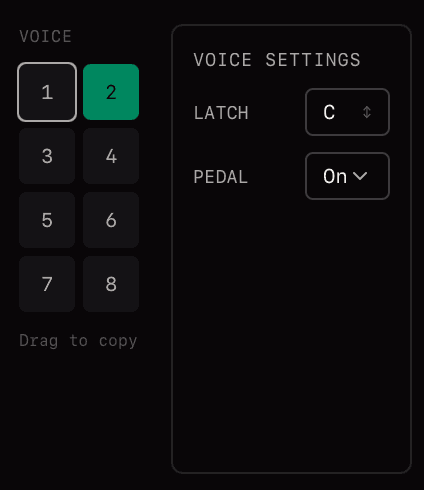
What Voice Layers Do
- •Analyse incoming chords — detect chord structure, identify bass and melody
- •Split and distribute notes — using the intelligent chord revoicer to create musical voicings
- •Filter by range — each layer can respond to a specific key range with velocity fades
- •Feed the routing matrix — processed notes are sent to the grid inputs for routing to instruments
Reordering Voice Layers
Drag and drop voice layer tabs to reorder them. This is useful for organising your layers logically—for example, keeping bass voices on the left and melody voices on the right.
Voice Layer Types
All Notes
Passes every incoming note unchanged. Use this when you want a direct, unfiltered connection—for example, a melody line that plays all notes on a lead instrument.
Low Note
Captures only the lowest note currently held. Ideal for routing bass notes to a dedicated bass or cello while other layers handle the rest of the chord.
High Note
Captures only the highest note currently held. Useful for routing a soprano or melody line to a specific instrument.
Split
The most powerful type. Analyses incoming chords and distributes notes across multiple grid inputs using the intelligent chord revoicer. This is where harmonic truncation, Dynamic/Fixed modes, and voice leading happen.
Key Filter
Every voice layer includes a key filter that restricts which notes it responds to:

- •Key Range — set the lowest and highest notes the layer will accept
- •Fade Zones — smooth velocity crossfades at range boundaries for natural transitions
Use overlapping key ranges with fade zones to create smooth crossfades between layers—for example, bass and mid layers that blend naturally around a split point.
Voice Layers vs Grid Inputs
Voice layers process and analyse your playing. Grid inputs are the 8 channels in the routing matrix where processed notes arrive. A single voice layer (like Split) can send notes to multiple grid inputs simultaneously.
Related
Mailing list