The Preset System
Filament has two preset workflows: Browse for fast complete starting points, and Build for modular systems you can recombine across projects and libraries.
Browse
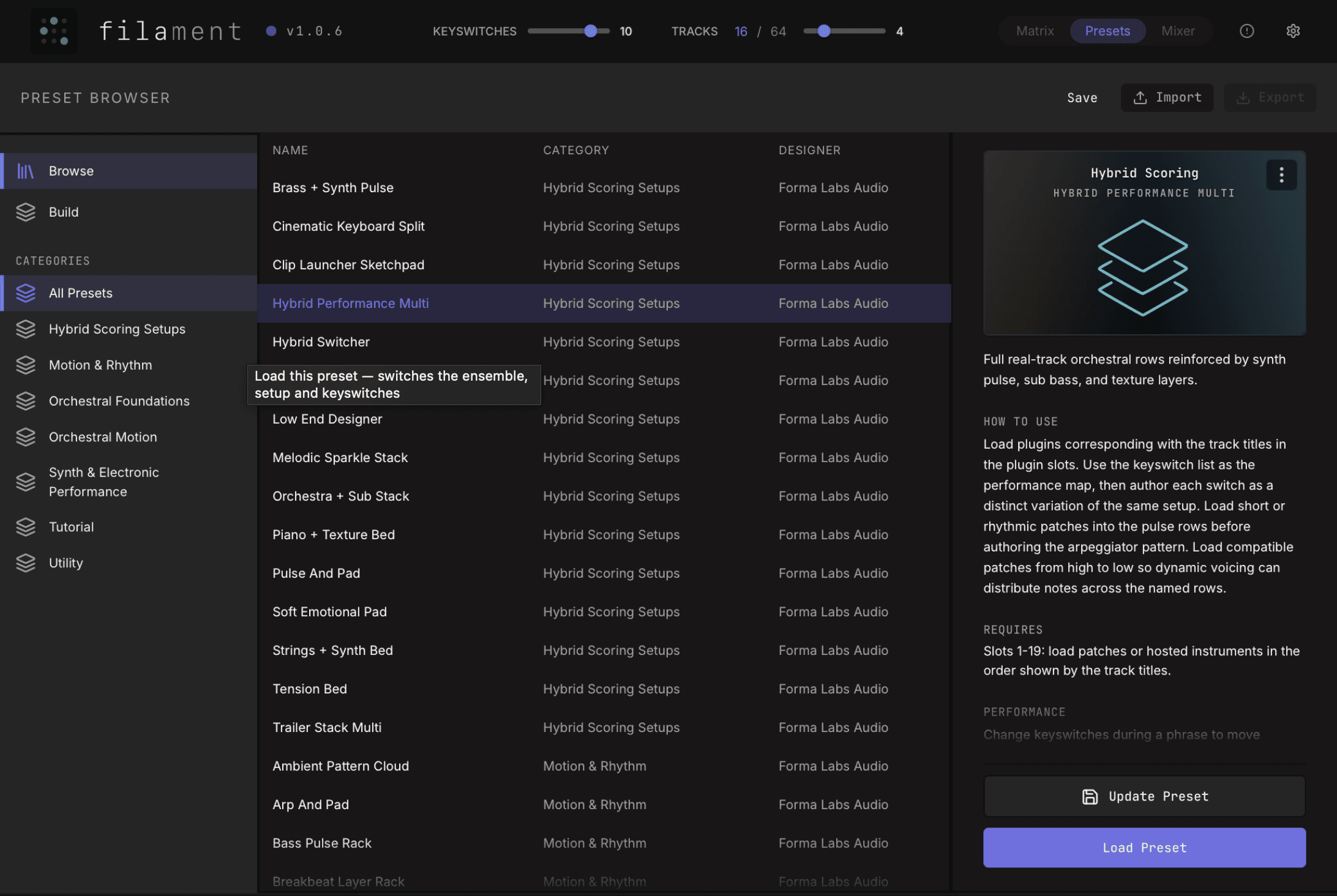
Use Browse when you want to load a ready-made Filament setup without assembling the parts yourself. Browse presets are designed as complete working starting points.
Full Setups
A Full Setup recalls the whole Filament state: ensemble structure, sound setup, mixer state, keyswitch layout, and orchestration content. Use this when you want the complete setup back exactly as it was saved.
Factory and User Presets
Factory presets are installed with Filament and appear alongside your saved presets. If a preset expects plugins you do not have installed, the musical structure can still load, but missing instrument slots need to be filled from your system.
Build
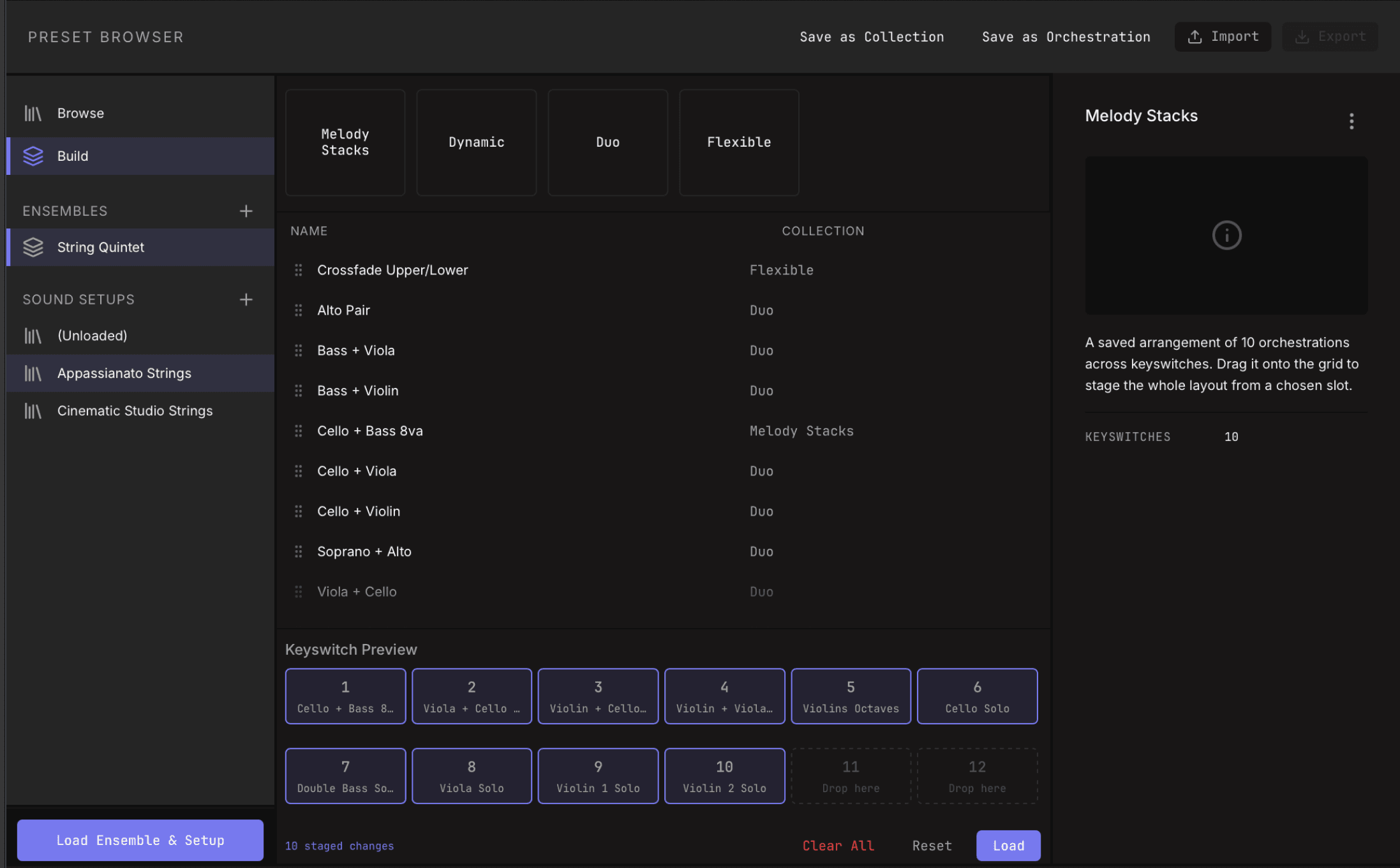
Use Build when you want the parts of a setup to stay independent. The structure, sounds, and musical behavior can be saved separately and recombined.
1. Ensemble
The structural layout: output rows, row names, and the compatible shape for sound setups and orchestrations.
2. Sound Setup
The hosted-instrument and mixer layer: loaded plugins, effects, articulation maps, mixer balance, MIDI CC scaling, output routing, and related instrument configuration.
3. Orchestration
The musical behavior for a keyswitch: voice layers, routing matrix connections, per-connection transpose, arpeggiators, clips, smart modifier settings, and articulation trigger choices.
4. Collection
A Collection groups orchestrations for an ensemble. Use Collections for related sets of orchestrations, such as melody stacks, dynamic layers, or performance variations arranged across keyswitches.
How Build Presets Fit Together
Loading Orchestrations and Collections
Load a Single Orchestration
Select a keyswitch, then load an orchestration from the preset browser. Filament replaces the musical behavior in that slot while keeping the hosted instruments loaded.
Load a Collection
Drag a Collection onto a keyswitch to load all orchestrations in that Collection across the keyswitch layout. This is the fastest way to restore a grouped set of related orchestration states.
Related
Mailing list