Phrase Arpeggiator
The Phrase Arpeggiator builds complete moving orchestrations, not just simple arpeggios. Five playback modes let you create full phrases per instrument, with per-step articulations, velocity patterns, and linked control across your ensemble.
Enabling the Phrase Arpeggiator
Open the arpeggiator editor for an output row via the row's module button in the main view, or navigate to the Sequencer page. Each output row can have its own arpeggiator settings, and each keyswitch stores its own configuration.
Row Types
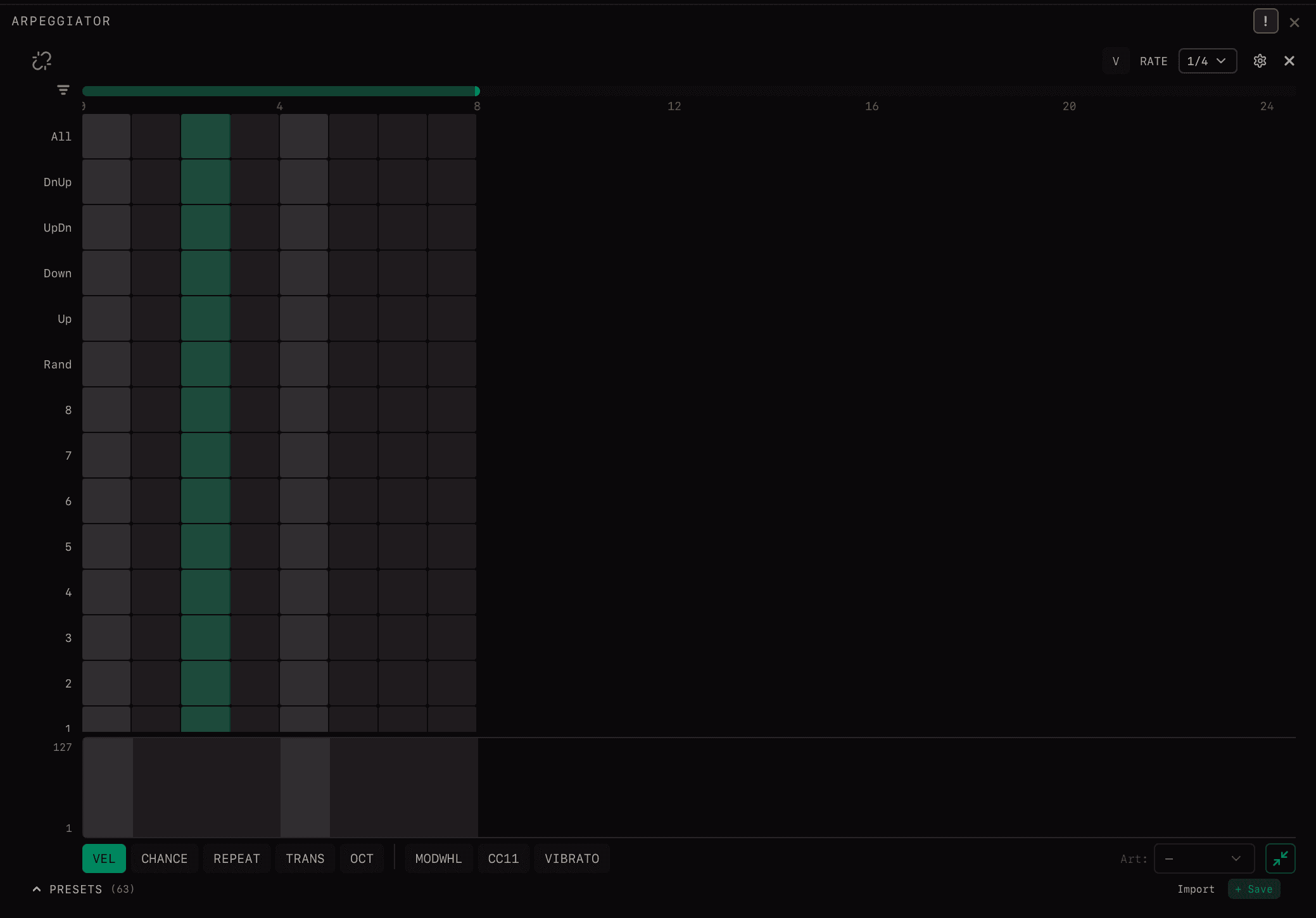
Each step in the arpeggiator grid is assigned a row type that determines which note from the input chord is played. This is the key to building full phrases—different row types on different steps create melodic movement through the chord.
All
Plays all held notes simultaneously—the full chord sounds on this step. Use for downbeats, accents, or when you want the whole harmony at once.
Note Position (1–8)
Plays a specific position from the chord, ordered lowest to highest. 1 = lowest note, 2 = second lowest, up to 8 = eighth lowest. If the chord has fewer notes than the position, nothing plays on that step.
High / Low
Hi1 — highest note in the chord. Hi2 — second highest. Lo1 — lowest note. These are useful for isolating melody (Hi1) or bass (Lo1) in patterns.
Fixed (Fix1–Fix4)
Plays a fixed MIDI note regardless of input—set up to 4 fixed notes separately. Perfect for percussion hits, pedal tones, or ostinato patterns that don't change with the harmony.
Pattern Modes
Cycles through chord notes in a specified order. Each step advances through the pattern:
- Up— lowest to highest, then repeats
- Down— highest to lowest, then repeats
- Up-Down— sweeps up then down (ping-pong)
- Down-Up— sweeps down then up
- Random— randomised note each step for organic variation
Row Filter
The arpeggiator grid can display many row types at once, which can be overwhelming. Use the row filter to hide or reveal different row types:
- •Show only note position rows (1–8) for simple melodic patterns
- •Show only pattern modes (Up, Down, etc.) for traditional arpeggios
- •Show fixed notes for percussion programming
- •Show all rows when building complex phrases
Fixed Notes
Fixed rows use up to four configured MIDI notes instead of taking pitches from the held chord. Use them for percussion, pedal notes, or repeating figures that should stay stable while the harmony changes.
Fixed-note selectors are saved with the arpeggiator state for the row and keyswitch.
Velocity Mode
Press V to enter velocity mode. In this mode:
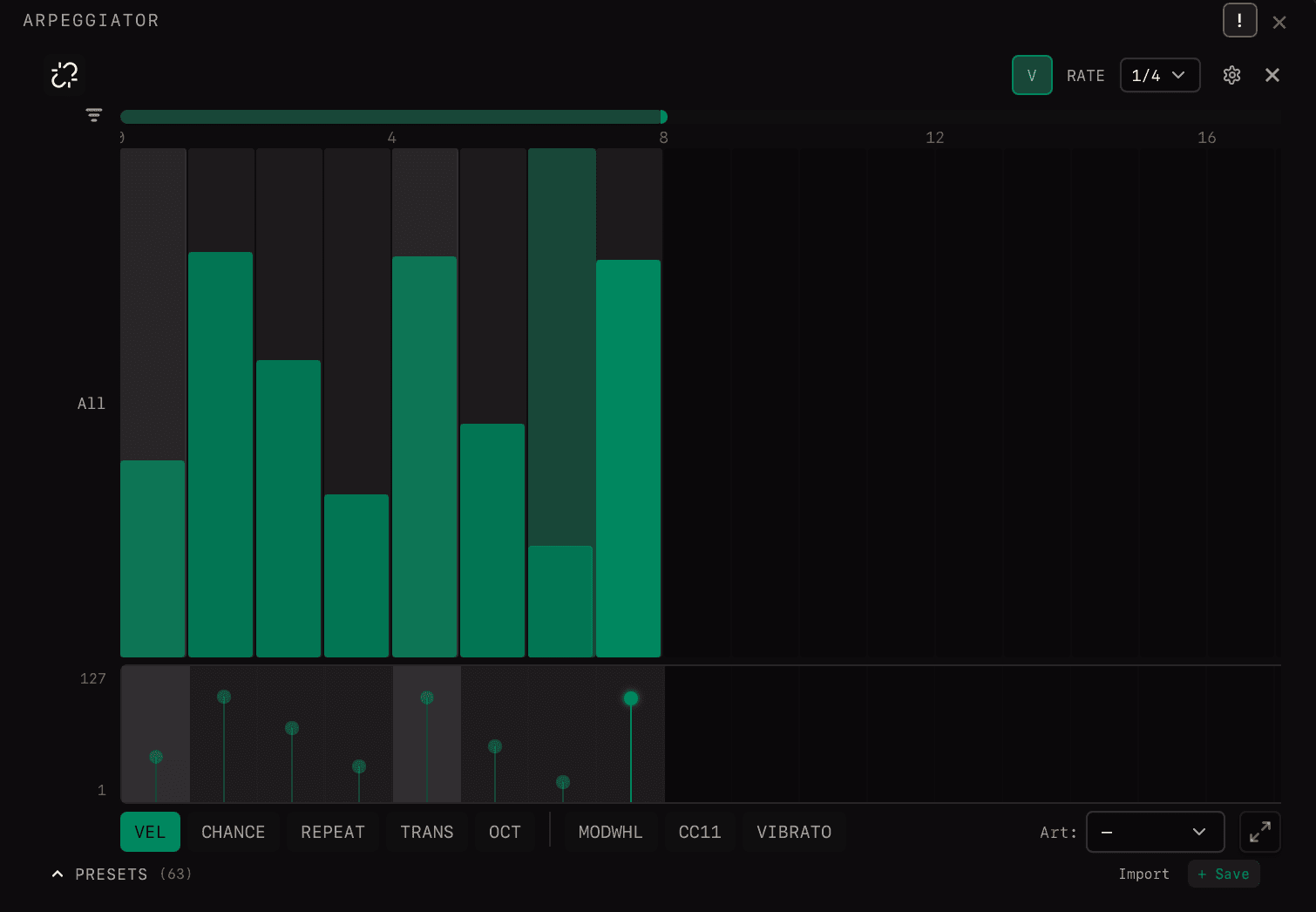
- •Each step displays its velocity value directly on the grid
- •Drag up/down on any step to adjust its velocity
- •Quickly program dynamic patterns—accents, crescendos, ghost notes
Press V again to exit velocity mode and return to normal editing.
Speed
Note subdivision, tempo-synced to host BPM:
Triplets: 1/4T, 1/8T, 1/16T, 1/32T
Different output rows can use different speeds and active-step lengths. This is useful for interlocking or polymetric patterns across several instruments.
Linked Arpeggiators
Link arpeggiators across multiple output rows to control them together in a single view. This lets you build coordinated patterns across your entire ensemble:
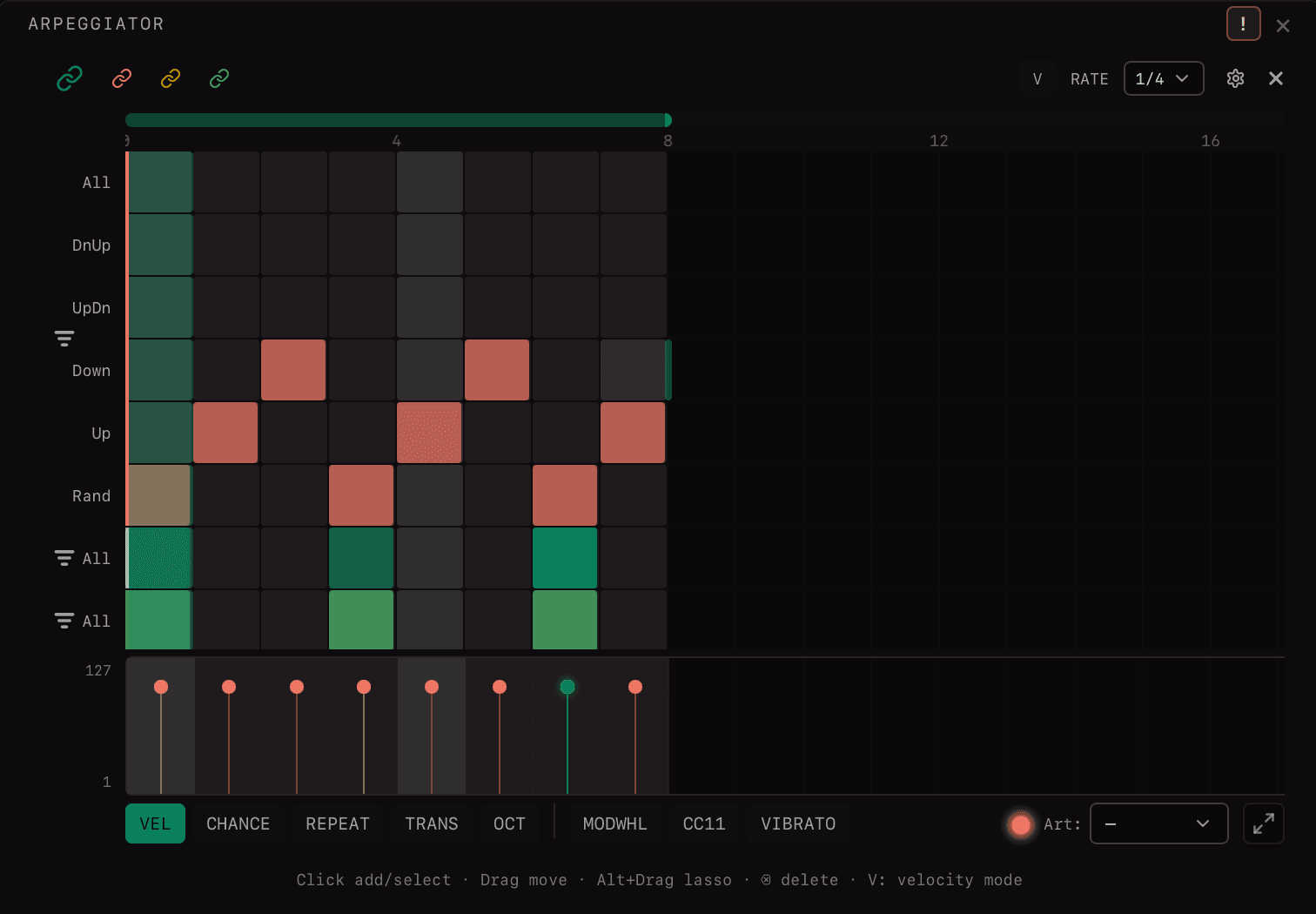
- •Build a short strings orchestration across violin, viola, and cello simultaneously
- •See all linked arpeggiators stacked vertically—edit rhythms across instruments at once
- •Linked arpeggiators share clock synchronisation—attacks align perfectly
- •Linked touch behavior starts the shared clock when any linked row receives notes and resets after all linked notes are released
- •Create interlocking patterns where different instruments fill different beats
Example: Link strings, brass, and woodwinds. Program strings on beats 1 and 3, brass stabs on beat 2, woodwind runs on beat 4. View and edit the entire orchestration rhythm in one place.
Parameters
| Parameter | Description |
|---|---|
| Fixed Notes (4 slots) | Up to 4 specific MIDI notes for Fixed row types. |
| Random Velocity | Amount of randomisation applied to note-on velocity (0–1). |
| Random Velocity Chance | Probability that velocity randomisation is applied (0–1). |
| Random Position | Timing offset randomisation within a beat. |
| Random Position Chance | Probability of applying timing randomisation. |
| CC Through | When enabled, incoming CC messages pass through unaffected. |
| Notes Through | When enabled, input notes pass through in addition to the pattern. |
| Pedal Mode | Filtered — sustain pedal is ignored. Through — sustain pedal passes to output. |
| Pedal Decay Time | Milliseconds for sustained notes to decay after pedal release (0–2000 ms). |
Related
Mailing list